Dynamic DNS - HD Wireless IP Camera
The above method of WAN access assumes the public IP address of the router is static (i.e. does not change). This is not the case for most consumer homes. Public IP addresses are dynamically assigned to home routers except for those who obtain static public IP addresses by paying fees to their ISPs.
Fortunately, there is a way to deal with this. It is Dynamic DNS (DDNS). The details of DDNS are beyond the scope of this article. For the purpose of network camera WAN access, users only need to know that DDNS offers a static host name (e.g. mycamera.myddns.com) to replace a router's public IP address, so the address to a network camera remains constant.
When a DDNS host name is used, it is resolved to the dynamically assigned IP address of a router. It essentially tracks the change of the router's IP address. Many network camera manufacturers offer free DDNS service. One can also subscribe to paid or free DDNS service such as dyndns.org, freedns.afraid.org, dynu.com
There are three common ways for DDNS services to track routers' IP address changes:
- DDNS support of a router. Here is how to Setup a NETGEAR Dynamic DNS account.
- DDNS support of network camera.
The following is the Axis camera's DDNS configuration UI: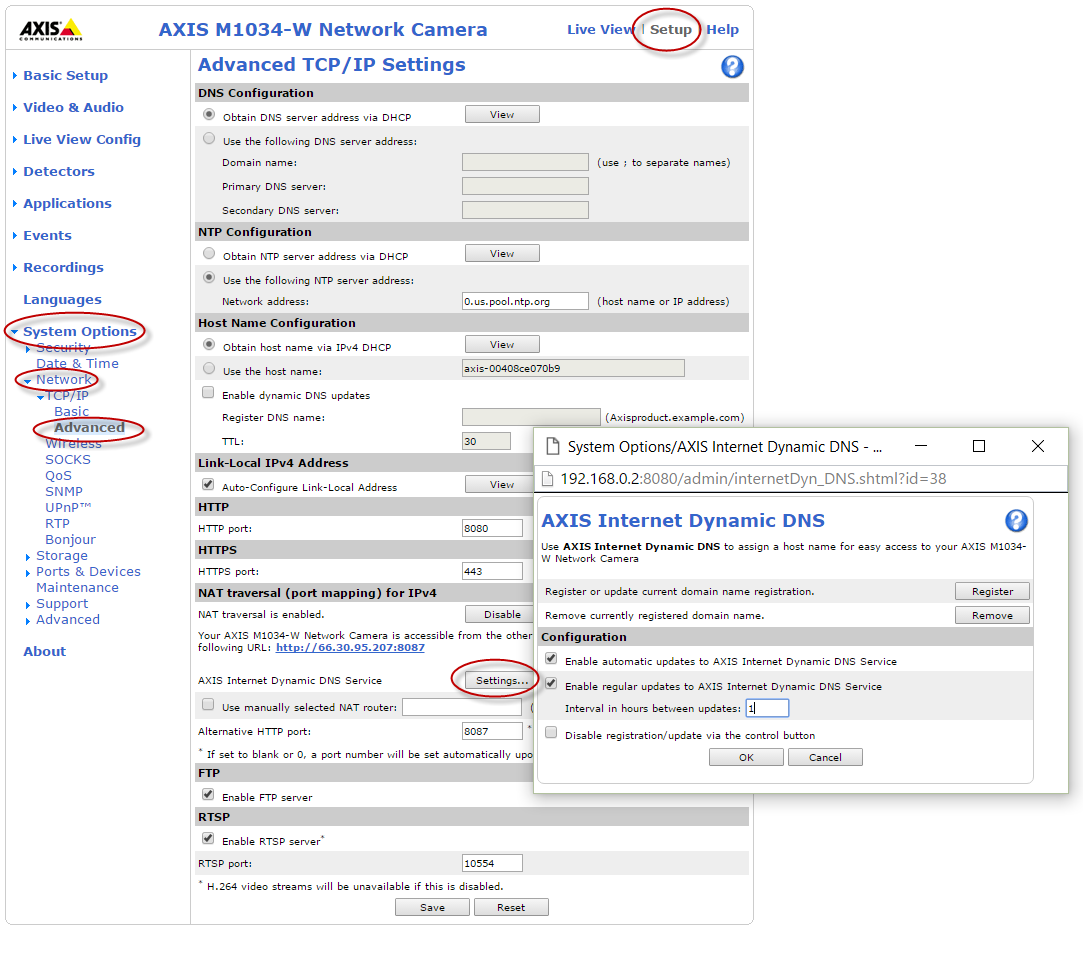
The following is the generic camera's DDNS configuration UI: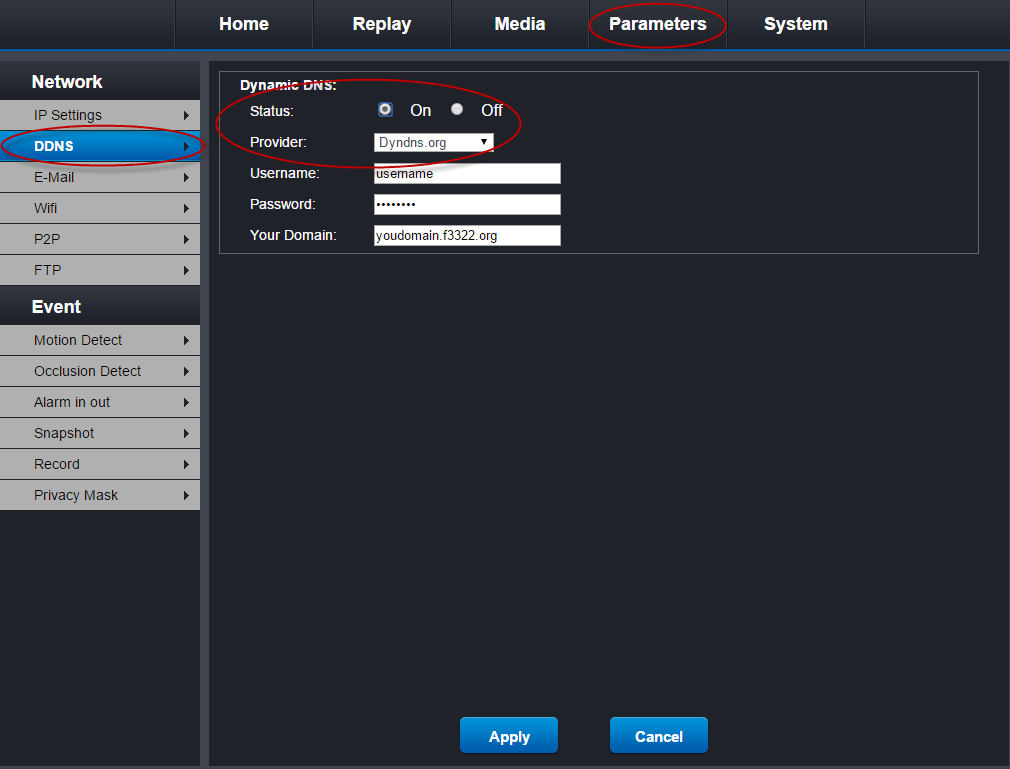
- Running a small client app on a computer on the LAN gated by the router.
All of them use the same mechanism - sending the router's dynamic IP address to a DDNS server upon its change or periodically. Each DDNS or service or router usually has detailed setup instructions. Some network camera manufacturers also provide detailed instructions for DDNS. Please see the last section "The Axis Internet Dynamic DNS service" of this Axis document for an example.
Once the WAN configuration is successfully created, we suggest using it under all circumstances including being on the same LAN as the camera. This is because most routers nowadays support hairpinning that routes WAN configuration’s traffic within the LAN (i.e. not going out) if the router detects the camera is on the same LAN. This is why we do not combine WAN configuration and LAN configuration in our apps. Automatic detecting whether the WAN or the LAN configuration should be used for streaming may take a few seconds under certain circumstances though it is instant in most cases.
https://www.ipcent.com/